> For the complete documentation index, see [llms.txt](https://changelog.impler.io/llms.txt). Markdown versions of documentation pages are available by appending `.md` to page URLs; this page is available as [Markdown](https://changelog.impler.io/february-2024/v0.16.0-duplicate-import-paginate-import-records-search-over-imports-and-more.md).
# v0.16.0: Duplicate Import, Paginate Import records, Search over Imports and more!
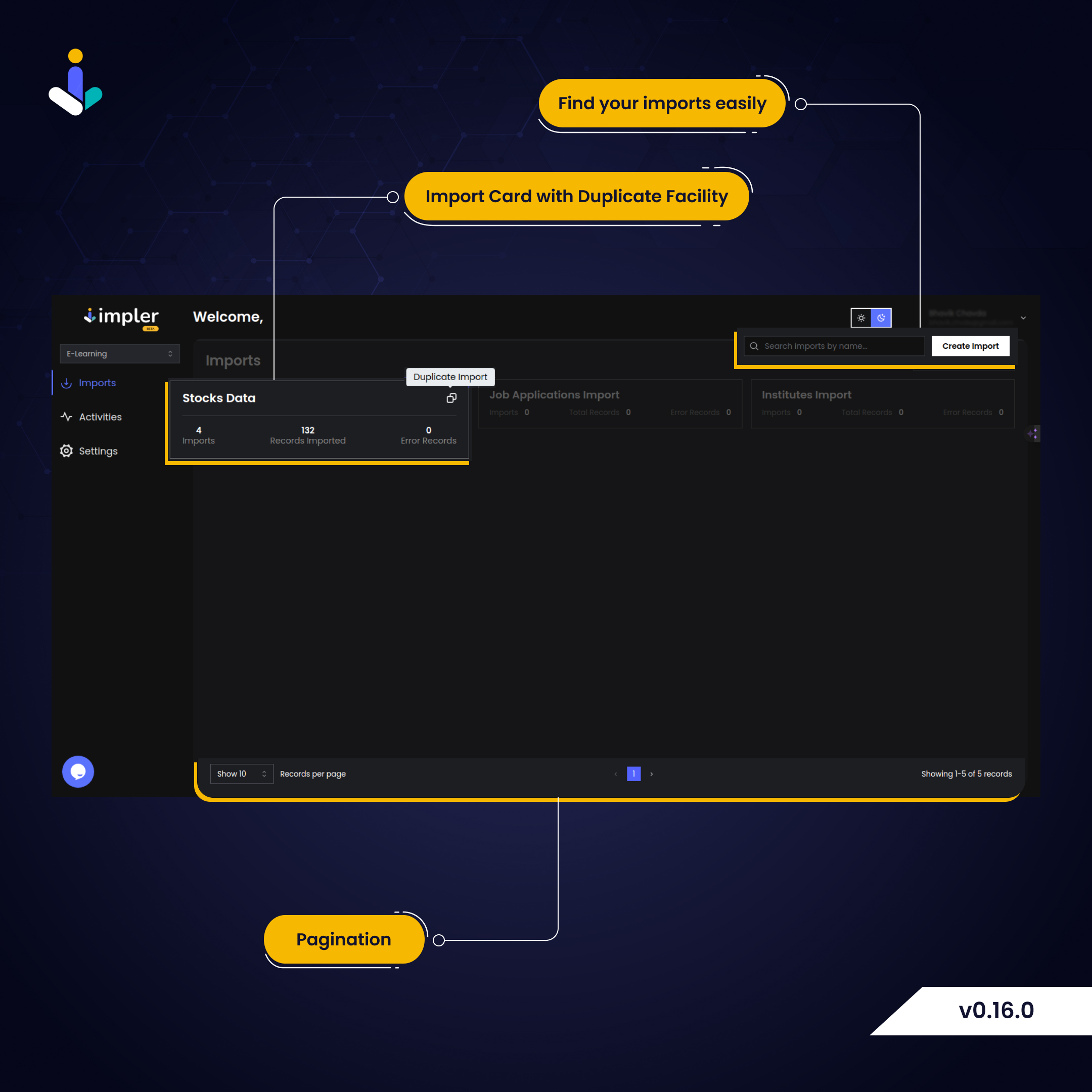
We've added facility to duplicate import items, paginate and search over them, and few bug fixes!
### ✨ New
* The import layout is now equipped with a pagination facility to better manage imports.
* Now, Import cards have duplicate import functionality so developers can duplicate import with options to only copy needed information.
v0.16.0 Updates
### ➕ Improved
* We updated `CONTRIBUTING.md` guide with the latest information about the project, so the developer has all the information ready to contribute to the project.
* `README.md` file has a new layout, which will better deliver the idea of the project to viewers. With `Getting started` guide adding an import widget into the application is just a few minutes of work.
* Security is our biggest concern, so we updated and revised `SECURITY.md` with proper links and information.
### 🔧 Fixed
* Terminate import action was calling the API with undefined, which is well-tested now.
* People write data in Excel. But while parsing, excel was giving incorrect date format, so we made sure that this issue did not occur in the template we generated.
We’re constantly working on improving the way handle CSV & Excel import in your product, and value your input on features, bugs, and more. Make sure you join [discord](htts://discord.impler.io) to have a chat with us and share your thoughts!
---
# Agent Instructions
This documentation is published with GitBook. GitBook is the documentation platform designed so that both humans and AI agents can read, navigate, and reason over technical content effectively. Learn more at gitbook.com.
## Querying This Documentation
If you need additional information that is not directly available in this page, you can query the documentation by asking a question.
Perform an HTTP GET request on the following URL with the `ask` and `goal` query parameters:
```
GET https://changelog.impler.io/february-2024/v0.16.0-duplicate-import-paginate-import-records-search-over-imports-and-more.md?ask=&goal=
```
`ask` is the immediate question: it should be specific, self-contained, and written in natural language.
`goal` is what the user is ultimately trying to achieve, the reason they need the answer. Sharing it helps GitBook give you a better, more relevant answer. A goal is most helpful when it describes the outcome the user wants rather than restating the question. For example, with `ask=how do I create an API token`, a goal like `automate deployments from our CI pipeline` lets GitBook tailor the answer to that use case.
The response will contain a direct answer to the question and relevant excerpts and sources from the documentation.
Use this mechanism when the answer is not explicitly present in the current page, you need clarification or additional context, or you want to retrieve related documentation sections.